Access Opal from an existing session on your browser
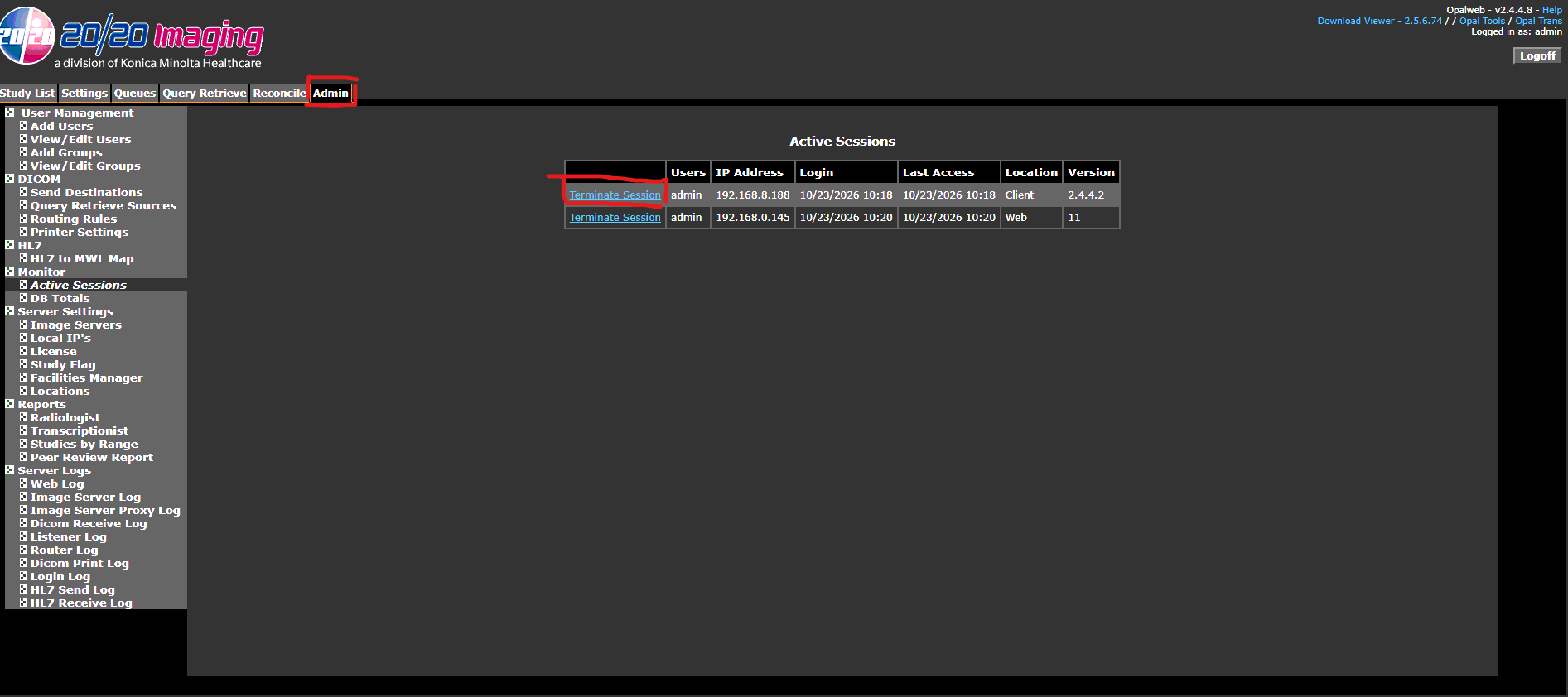
Navigate to the Admin Tab
Find the Active Sessions
Terminate whichever sessions aren't needed.
Additionally, Opal support can also be contacted at the number below.
1-800-366-5343
Was this article helpful?
That’s Great!
Thank you for your feedback
Sorry! We couldn't be helpful
Thank you for your feedback
Feedback sent
We appreciate your effort and will try to fix the article